

Daybook · Multi-branch business app
Multi-branch daybook app where every stock transfer is acknowledged
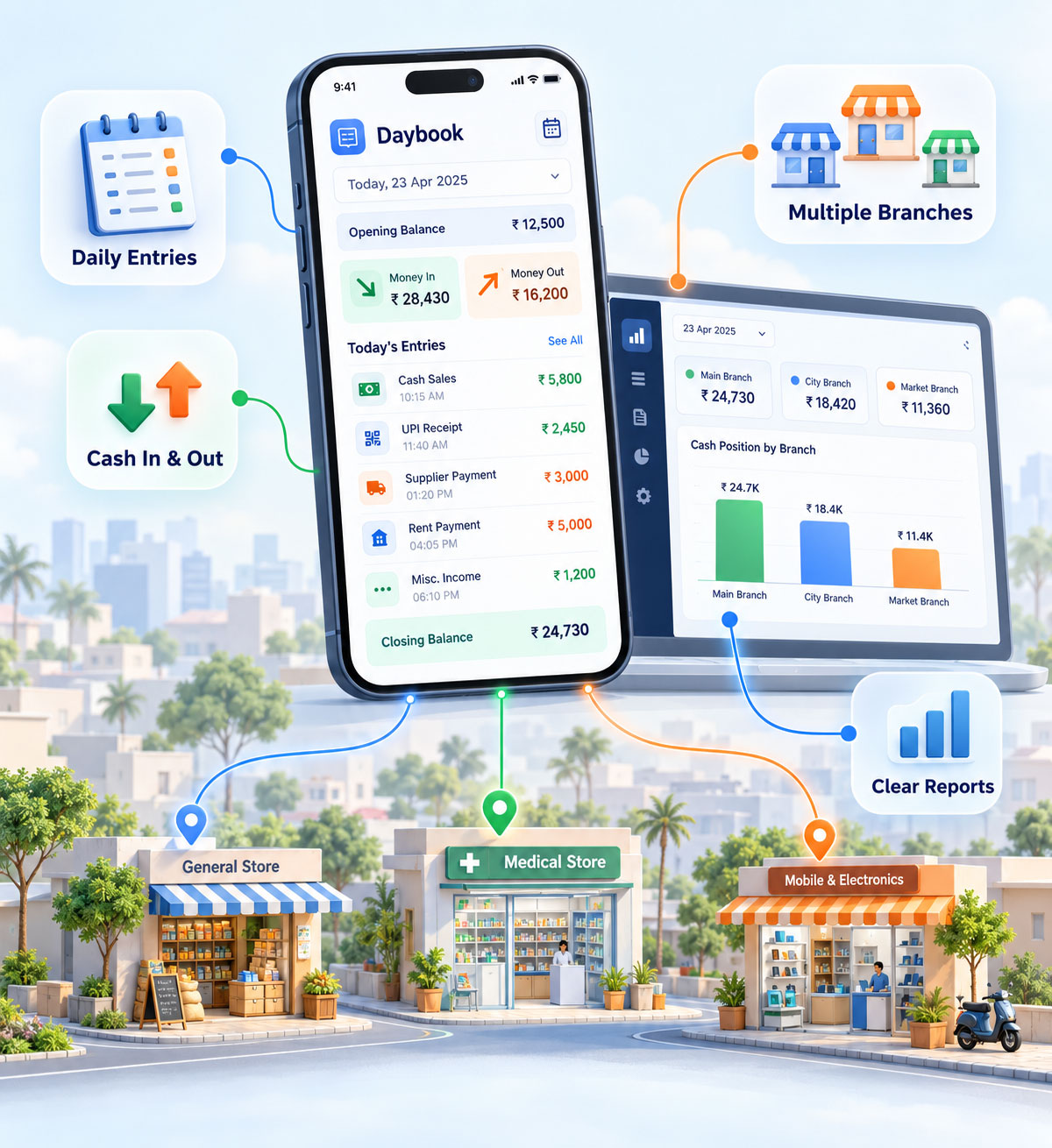
Daybook records sales, expenses and stock across all of your branches from a phone. Its one strict rule: stock sent to a branch is not counted as received until the person at that branch confirms it physically arrived. That single handshake is what closes the gap most multi-outlet businesses live with.
What is a daybook app?
A daybook app is a mobile application for recording a business's day-to-day transactions — sales, purchases, expenses and stock movement — as they happen, rather than writing them into a book and reconciling later. For a business with more than one branch or outlet, it also tracks which branch holds which stock and what each branch sold, so the owner sees the position across all locations without calling each one.
- Built for
- Multi-branch businessShops, outlets, small companies
- Platform
- Mobile appAndroid
- Records
- Sales, expenses, stockPer branch, daily
- Transfers
- AcknowledgedReceiving branch confirms
- Scope
- Deliberately smallNot an ERP
- Licence
- Commercial$5/per month
The problem
The owner is the reporting system
In most businesses running three or four outlets, the way the owner finds out what happened yesterday is by phoning each branch. Stock position, takings, what got spent — all of it arrives as somebody's recollection, at the end of the day, over a call.
What that costs you
Stock disappears into the gap
Goods sent to a branch are written off the main stock immediately. Whether they arrived, whether the full quantity arrived, and who is answerable if they did not — none of that is recorded anywhere.
By the time a shortage surfaces at a stock count, the transfer is weeks old and nobody can say what happened.
What Daybook does instead
A transfer has two ends
Stock sent to a branch stays in transit until the branch in-charge acknowledges it in the app. Sent and received are separate events, with separate people attached to them.
Everything else — sales, expenses, stock levels — is entered at the branch as it happens, so the owner reads the position instead of collecting it.
The mechanism
Purchased, sent, acknowledged, held
Four steps, and the third one is the whole point. Most stock apps have three.
01
Purchased
Stock bought and entered against the business, with cost recorded.
Held centrally
02
Transferred
Sent to a named branch. The person who sent it is recorded.
In transit · unconfirmed
03
Acknowledged
The branch in-charge confirms physical receipt. Until then it stays open.
Receipt confirmed
04
Held at branch
Now counted as that branch's stock, sold down as sales are entered.
On hand at branch
Because step three exists, there is always an answer to "where is it and who has it". A transfer sitting unacknowledged is visible as an open item rather than as a number that silently stopped matching.
What is in it
Six things, done properly
01
Branches
- Create and manage branches
- Branch in-charge per location
- Same or different cities
- Position per branch and combined
02
Products and stock
- Product list with cost and price
- Stock held per branch
- Products or finished goods
- Stock reduced as sales are entered
03
Transfers
- Send stock to a branch
- Acknowledgement on physical receipt
- Open transfers visible
- Record of who sent and who received
04
Sales
- Entered at the branch, daily
- Attributed to the branch
- Visible to the owner without a call
- History by day and branch
05
Expenses
- Branch-level expense entry
- Recorded against the day
- Visible alongside takings
- No separate expense book
06
Roles
- Owner sees everything
- Branch in-charge sees their branch
- Acknowledgement tied to a person
- Entries attributed, not anonymous
In use
What it looks like
Branches and stock
Transfer · awaiting acknowledgement
Day view · sales and expenses
Scope
Small on purpose
Daybook could have been an ERP with a hundred screens. It is not, and that was a decision rather than a limitation. A shop owner entering the day's takings on a phone between customers will not use software that asks them to navigate a system. Every feature that would have made it more complete would also have made it less likely to be used at six in the evening.
- Branches and who runs them
- Products, cost and stock on hand
- Stock transfers with acknowledgement
- Daily sales per branch
- Daily expenses per branch
- Owner's view across all branches
- Statutory accounting and tax filing
- Payroll
- Billing and point of sale at the counter
- Manufacturing or production planning
- Customer relationship management
Anything on the right-hand column that you need can be built. GegoSoft wrote Daybook and maintains it, so extending it is ordinary development work — but we would rather you knew the shape of the product before the conversation than after.
Fit
Who this is for, and who it is not
Daybook suits an owner running more than one shop, outlet or branch, who currently finds out what happened by asking, and who moves stock between locations.
Where it is the wrong tool
- You run a single location with no stock movement. The transfer mechanism is the reason to use this, and without branches you are carrying the concept for nothing.
- You need statutory books. Daybook records the day's trading; it does not produce accounts or file returns. It sits alongside an accountant, not in place of one.
- You want billing at the counter. This is not a point-of-sale system and does not print customer invoices.
- Your branch staff will not use a phone app. The acknowledgement step only works if the person receiving the stock actually taps it. No software fixes that.
Questions
Frequently asked
What is a daybook app?
A daybook app is a mobile application for recording a business's day-to-day transactions — sales, purchases, expenses and stock movement — as they happen, rather than writing them into a book and reconciling later. For a business with more than one branch, it also tracks which branch holds which stock and what each branch sold, so the owner sees the position across all locations without calling each one.
Why should a stock transfer between branches need acknowledgement?
Because sending and receiving are different events with different people responsible for them. If stock is written off the sending location the moment it leaves, there is no record of whether it arrived, whether the full quantity arrived, or who is answerable if it did not. Requiring the receiving branch to confirm physical receipt turns a silent discrepancy into an open item that someone has to close.
Can one business run several branches in different cities?
Yes. Branches can be in the same location or in different cities, each with its own in-charge, its own stock position and its own daily sales and expenses. The owner sees each branch separately and all of them combined.
Is Daybook an accounting package?
No. Daybook records daily trading — sales, expenses, stock and transfers between branches. It does not produce statutory accounts, handle tax filing or run payroll. It is designed to sit alongside an accountant rather than replace one, and it deliberately keeps its scope small so that it is quick enough to use every day.
Can Daybook be customised for a specific business?
Yes. GegoSoft built Daybook and maintains it, so extensions are ordinary development work rather than a workaround. Additional entry types, reports, integration with an accounting package, or a web dashboard alongside the app are the usual requests.
Who builds and maintains Daybook?
GegoSoft Technologies, a software development company based in Madurai, India, which builds and maintains a range of business software products and carries out the customisation work on them.
Next step
Set it up with your own branches
Tell us how many outlets you run, what you sell, and how stock moves between them. We will set up your branches and products so you can see the transfer and acknowledgement working with your own goods rather than sample data.